Left Arrow
Steer or change lane to the left
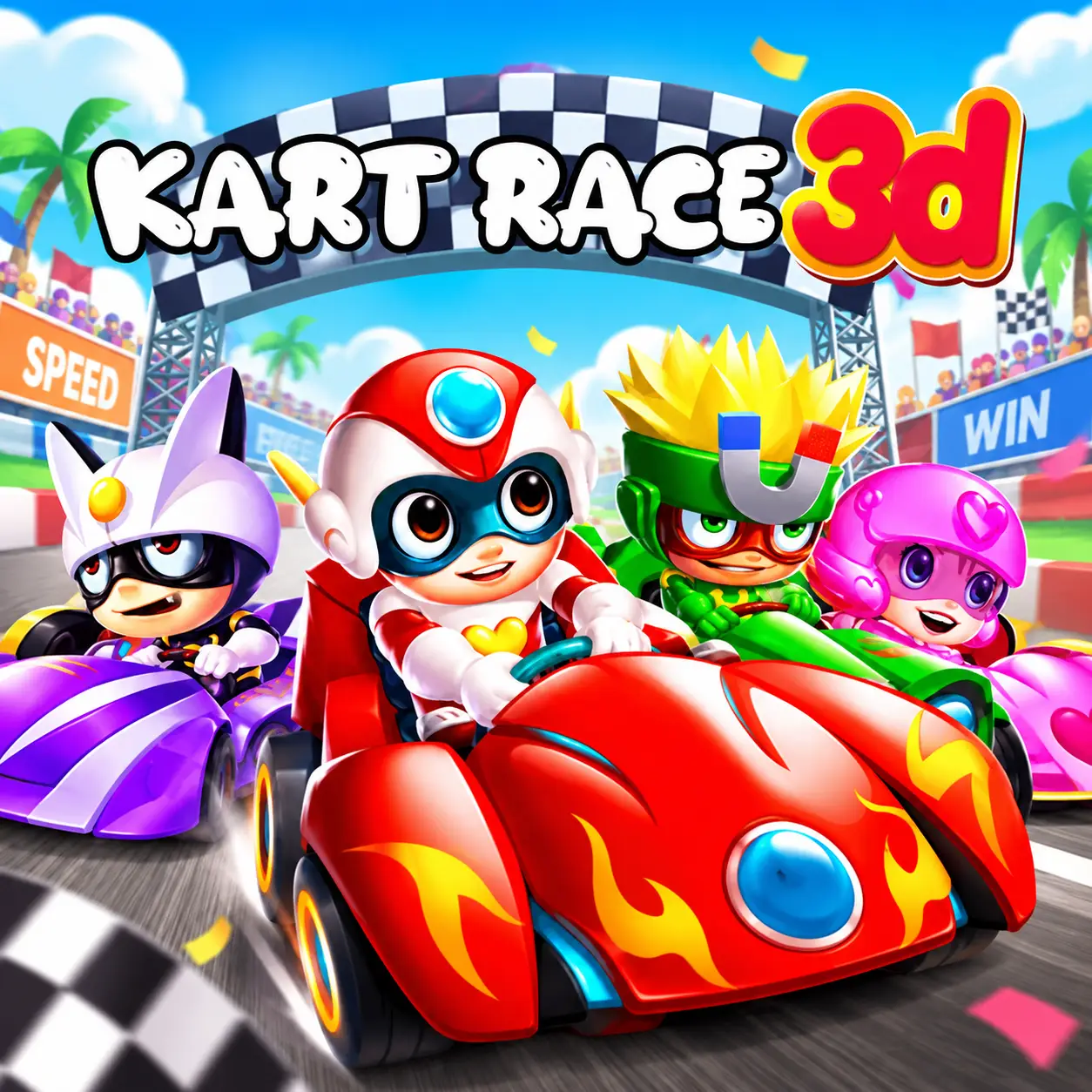
Dodge obstacles, collect power-ups, attack rival racers, transform into a robot, and race toward first place.
Dodge obstacles, collect power-ups, attack rival racers, transform into a robot, and race toward first place.
Kart Race 3D is a colorful arcade racing game in which cartoon drivers compete on tracks filled with obstacles, collectible items, speed pads, and powerful weapons. Your kart accelerates automatically, leaving you free to concentrate on steering, choosing the safest lane, and collecting power-ups.
Pick up bombs, drop banana peels, attack rival racers, or temporarily transform your kart into a robot capable of smashing through obstacles. Every race combines driving skill with quick decisions as you avoid hazards, maintain health, and use each power-up at the right moment.
Play Kart Race 3D online in a desktop browser and race a cartoon 3D kart game filled with mystery boxes, banana peels, bombs, and a robot transformation.
Because the kart accelerates automatically, you can focus on lane selection, obstacle avoidance, item collection, and attacking opponents.
Load the WebGL game and start racing without downloading a separate client.
Your kart begins accelerating as soon as the race starts. Use the Left and Right Arrow keys to steer between lanes, collect items, activate power-ups, and complete the objective displayed for the current level.
Use the Left and Right Arrow keys to steer between lanes and follow the track.
Collect coins, hearts, mystery boxes, and speed boosts while avoiding obstacles.
When a power-up becomes available, activate it using the corresponding button on the game interface. The effect depends on the item you collected.
Depending on the stage, you may need to achieve a particular finishing position, collect a target number of items, or maintain enough speed.
The kart accelerates automatically, so you do not need to hold a separate acceleration key in the commonly hosted browser version.
The kart accelerates automatically, so you do not need to hold a separate acceleration key in the commonly hosted browser version.
Steer or change lane to the left
Steer or change lane to the right
Navigate menus and activate interface-based power-ups
The objective can change from one level to another. You may need to finish in a required position, overtake rival racers, and cross the finish line successfully.
Collect a target number of items, gather coins, pick up hearts, and reach the required speed when the stage asks for it.
Use weapons against opponents, avoid excessive damage, and unlock new karts and drivers. Finishing first is valuable, but another condition may also be required.
Mystery boxes contain the game’s offensive and defensive power-ups. Drive through a box to receive a random item, then activate it when an effective opportunity appears.
A sudden movement can send your kart into an obstacle or another racer.
Some power-ups work best when an opponent is directly ahead, while others can be placed behind your kart to disrupt pursuing racers.
The exact item you receive is not always predictable, so be prepared to adapt your strategy.
Coins appear along the racing tracks and provide progression outside individual events. Collect enough currency to access additional karts and drivers from the game’s garage or selection menu.
New unlocks provide visual variety and give you more characters to use in later races. The safest coin route is not always the most direct route to first place. If an opponent is close behind, protecting your lead may be more important than moving toward a group of coins.
Replay completed levels if you need additional currency for a particular unlock.
Kart Race 3D includes several power-ups that change the course of a race. The exact item you receive from a mystery box is not always predictable.
Bombs create an explosion capable of disrupting opponents. Use them when rival karts are grouped together or blocking your route.
Banana peels remain on the track and cause racers to lose control. Place one in a busy lane or directly in front of an approaching opponent.
The robot power-up temporarily transforms your kart into a powerful machine that can smash obstacles and knock rival racers away.
Some item effects can protect your kart from attacks or dangerous objects. Save defensive power for crowded sections where collisions are difficult to avoid.
Hearts restore or maintain the health of your kart. Collisions with obstacles and attacks from opponents can reduce your available health during a race.
Move toward hearts when your health bar is low, but check the road before changing lanes. A heart will not help if collecting it leads directly into another hazard.
When your health is already high, coins, mystery boxes, or speed boosts may be more useful. Choose pickups according to your current situation rather than trying to collect everything.
Watch the upper part of the track so you can identify hazards and collectibles before reaching them.
One deliberate lane change is safer than repeatedly moving from side to side.
If the stage requires coins or a particular finishing position, focus on that condition instead of collecting unrelated items.
An explosive attack is more effective when it can disrupt several racers at once.
Drop them where opponents are likely to drive rather than at the edge of the track.
While transformed, move toward obstacles and opponents that would normally slow your kart.
Do not ignore health pickups after several collisions. Surviving the race is necessary to complete the level.
A small detour is better than a direct collision that removes most of your speed.
Align the kart early and avoid making a sharp lane change immediately after receiving the boost.
Do not activate every power-up immediately. Wait until an opponent or obstacle is in an effective position.
Completed races can help you build the currency needed for more karts and drivers.
Late oversteering or an unnecessary attack can ruin a strong race during its final seconds.
Computer-controlled racers compete for the same finishing positions and collectible items. They can also be affected by weapons, obstacles, and robot attacks.
Driving directly into another kart can reduce your momentum or prevent you from reaching a useful power-up.
If an opponent moves ahead, they may be entering a lane containing a banana peel or roadblock.
Use weapons strategically to remove the leading racer instead of attacking an opponent who is already far behind.
Keep enough space to avoid both rival karts and track hazards while you race toward first place.
Speed pads provide immediate acceleration when your kart drives over them. They can help you overtake an opponent or recover after hitting an obstacle.
Line up with a speed pad before reaching it. Last-second steering may cause you to miss the boost and collide with another object.
Speed boosts are most useful on open sections of track. Prepare to steer carefully if a hazard or sharp change of direction follows the boost.
Kart Race 3D is an online kart racing game with colorful 3D tracks, mystery-box weapons, and free WebGL gameplay.
The browser version allows you to begin racing without downloading or installing a separate game client. Its simple Left and Right Arrow controls make it easy to start, while the power-up system adds strategy to every race.
Because the kart accelerates automatically, you can focus entirely on lane selection, obstacle avoidance, item collection, and attacking opponents.
Kart Race 3D uses WebGL technology. For a smoother experience, use an updated desktop browser, enable hardware acceleration, and close unnecessary tabs before starting the game.
If you enjoy colorful arcade racing and vehicle power-ups, try more games like Kart Race 3D: