WASD or Arrow Keys
Move or drive
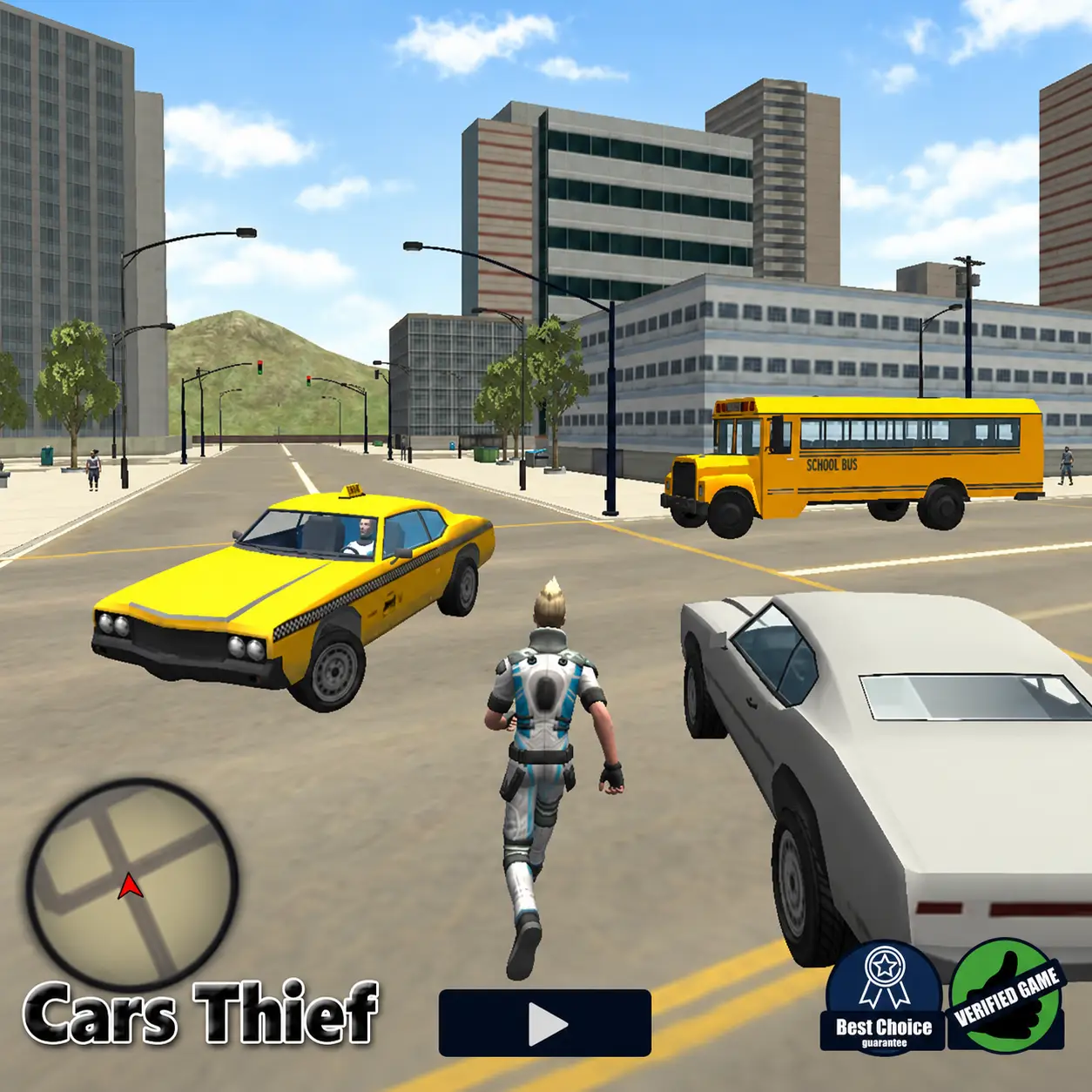
Explore a large 3D city, steal parked or moving vehicles, change camera views, and drive anywhere in this open-world browser game.
Play Cars Thief online for free. Explore a large 3D city, steal parked or moving vehicles, change camera views, and drive anywhere in this open-world browser game.
Cars Thief is a single-player 3D action and driving game set in a large open-world city. You play as Josh, a character who can explore the streets on foot, approach vehicles, remove their drivers, and take control of almost any available car.
There is no fixed racing circuit or predetermined route to follow. You are free to travel around the city, search for interesting vehicles, test their handling, and create your own driving adventures.
The combination of third-person exploration and unrestricted driving gives Cars Thief a sandbox-style structure. You can play it directly in a compatible desktop browser using your keyboard and mouse. Cars Thief was developed by Faramel Games.
Play Cars Thief online for free in a desktop browser and explore an open-world car game filled with city driving, car stealing, and 3D driving gameplay.
This browser car game lets you walk the streets, steal parked or moving vehicles, change camera views, and drive anywhere in a large 3D city.
Load the game and start playing without installing a separate game client.
Begin by moving Josh through the city on foot. Walk toward a parked vehicle or approach a car traveling along the road. Once you are close enough, press the interaction key to enter or steal it.
After taking control of a vehicle, drive around the city and explore different streets. You can switch camera perspectives to find the view that feels most comfortable.
Leave the vehicle whenever you want to continue exploring on foot or steal another car. The game does not force you to complete laps, follow checkpoints, or remain inside one particular vehicle.
Move or drive with WASD or the Arrow keys, look around with the mouse, and press F to enter, exit, or steal a vehicle.
Controls may vary slightly between hosted versions of the game. Check the instructions displayed beside the game window if your version uses a different layout.
Move or drive
Look around
Enter, exit, or steal a vehicle
Open the menu
Change walking speed
Reset
Jump while exploring or brake while driving
Crouch on foot or change the driving camera
Cars Thief is an open-world sandbox game, so it does not have a single mandatory finishing point. You decide where to go and how long to keep each vehicle.
Travel the streets, search different parts of the map, and create your own routes and challenges.
Find different types of vehicles, steal parked cars, and take vehicles from traffic.
Drive through busy city streets, test the handling of different vehicles, and switch between driving perspectives.
The defining mechanic in Cars Thief is the ability to take vehicles found throughout the city. Approach a car and press F when you are within interaction range.
Both parked vehicles and cars moving through traffic may be available. Taking a moving vehicle can be more difficult because you must get close to it without being hit or leaving the interaction area.
Once the animation is complete, you gain control of the vehicle and can immediately drive away. Press F again when you want to exit.
The city serves as a large driving playground rather than a conventional racetrack. Roads, intersections, buildings, traffic, and open areas give you multiple routes to explore.
There is no need to follow a marked path. Turn down unfamiliar streets, search different parts of the map, and look for unusual vehicles.
Learning the city layout also makes it easier to choose suitable roads for high-speed driving or recover after entering a narrow area.
Do not remain near the first available cars. Travel deeper into the city to search for more vehicle types and new driving locations.
Cars Thief includes several types of vehicles distributed across the city. These may include ordinary cars, faster models, vans, motorcycles, police vehicles, and other machines depending on the available game build.
Vehicles can differ in acceleration and maximum speed.
Steering response and braking distance change from one vehicle to another.
Size, weight, and stability during sharp turns affect how safely you can drive through busy streets.
Try multiple vehicles instead of staying with the first car you find. Part of the game’s appeal comes from discovering how each one behaves.
Changing the camera can make driving easier and give the game a different feeling. An external view provides a clear look at your vehicle and the surrounding traffic, while a closer or first-person perspective creates a more immersive driving experience.
Use the camera that best matches your current activity. Choose an external view for easier navigation, use a closer view for more immersive driving, and switch views when buildings block your vision.
Select a wider perspective during high-speed driving, and change the camera if parking or turning becomes difficult. Press C in many hosted versions to change the driving camera.
Parked cars are usually easier to approach than moving traffic. Use them to practice the vehicle-stealing mechanic.
Check both directions before entering the road on foot. Approaching a moving vehicle carelessly may cause a collision.
Each vehicle may respond differently. Apply the brakes before reaching a busy intersection to understand how much stopping distance you need.
Sharp steering at high speed can send the car into buildings or other traffic. Tap the direction keys to make smoother corrections.
A different camera angle can improve visibility in narrow streets and help you control unfamiliar vehicles.
Do not remain near the first available cars. Travel deeper into the city to search for more vehicle types and new driving locations.
If your character or vehicle becomes trapped, use the reset command instead of repeatedly attempting to escape.
New players often accelerate too aggressively before learning how the selected vehicle handles. This can lead to immediate crashes at intersections. Slow down during your first few minutes and learn how movement, interaction, and driving work.
Avoid approaching moving cars from the wrong direction and forgetting to brake before turning. Driving at maximum speed on narrow streets also causes frequent collisions.
Using large steering inputs, ignoring surrounding traffic, staying with only one type of vehicle, forgetting that F is used to enter and exit cars, and continuing with a poor camera angle all make the city harder to drive.
If your character or vehicle becomes trapped, use the reset command instead of repeatedly attempting to escape. Press R to reset in the standard desktop control scheme.
A reset is also useful after a crash that leaves the car at an awkward angle against a building or after you become stuck in a narrow area of the city.
Cars Thief is a 3D driving game and open-world car game with city exploration, vehicle stealing, and free desktop browser access.
Cars Thief provides a level of freedom that traditional browser racing games do not usually offer. Instead of selecting a vehicle from a menu and entering a race, you find cars naturally while exploring the city.
The ability to move on foot, enter different vehicles, and drive without a required route makes every session flexible. You can spend a few minutes testing cars or continue exploring until you have visited the entire city.
Because the game runs in a desktop browser, you can begin playing without installing a separate game client.
If you enjoy the freedom of Cars Thief, try more games like it:
Explore the streets, search for your favorite vehicle, and turn the entire city into your personal driving playground in Cars Thief.