W or Up Arrow
Accelerate
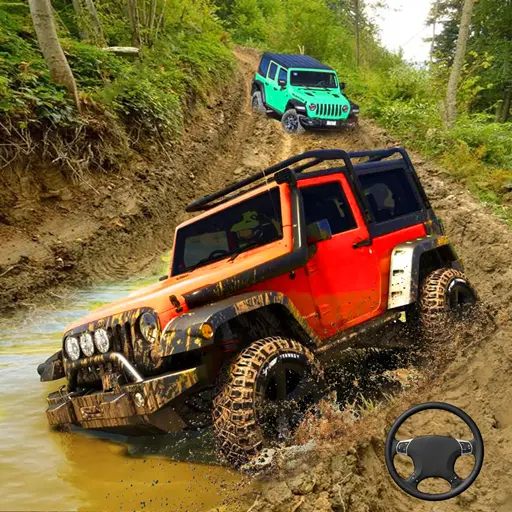
Explore freely or complete 20 timed missions, collect stars, use nitro, and unlock seven powerful vehicles.
Explore freely or complete 20 timed missions, collect stars, use nitro, and unlock seven powerful vehicles.
4x4 Drive Offroad is a 3D driving simulator in which you explore the countryside and complete missions with powerful off-road vehicles. Choose between Levels and Free Mode. Levels mode contains 20 objective-based challenges, while Free Mode allows you to explore the map and collect red stars without following a fixed mission.
Drive through checkpoints, search for destinations, collect stars, and reach important locations before time expires. Successful missions reward you with money that can be used to unlock up to seven vehicles.
Play 4x4 Drive Offroad online in a desktop browser and drive a 4x4 driving simulator with off-road missions, free-roam exploration, and seven unlockable vehicles.
This browser driving simulator combines timed Jeep and truck missions with open-map driving so you can collect stars, use nitro, and complete all 20 levels.
Load the WebGL game and start driving without downloading a separate client.
Choose Levels mode if you want structured missions or select Free Mode to explore at your own pace. Use WASD or the Arrow keys to drive and follow the minimap to complete each objective.
Choose Levels mode for 20 objective-based challenges or Free Mode to explore the map and collect red stars.
Use WASD or the Arrow keys to drive. Follow the minimap and on-screen markers to locate checkpoints, collectibles, and mission destinations.
Some challenges have a time limit, so you must find an efficient route without losing control. Activate nitro on open roads when you need additional speed and use the handbrake to manage sharp turns.
Complete the current objective to earn money and unlock the next level. Continue progressing until you have completed all 20 missions and collected enough currency to access every vehicle.
Control availability can vary slightly between hosted versions, but WASD or the Arrow keys, Spacebar, and C are the core desktop controls.
Control availability can vary slightly between hosted versions, but WASD or the Arrow keys, Spacebar, and C are the core desktop controls.
Accelerate
Brake or reverse
Steer left
Steer right
Brake or handbrake
Change the camera view
Activate nitro
Activate slow motion
Navigate menus and select modes or vehicles
The objectives change according to the selected level. Before driving away, check the mission instructions and identify the target on the minimap. You must satisfy the stated objective before the level can be completed.
Pass through every checkpoint, drive to a marked destination, reach a plane-crash location, or find a ship at the harbor.
Collect a required number of stars, finish before the time limit expires, and collect red stars in Free Mode.
Earn money from successful missions, unlock all seven vehicles, and complete all 20 levels.
Levels mode contains 20 missions with different objectives and routes.
One challenge may ask you to drive through a sequence of checkpoints, while another sends you toward a distant location before time runs out. Other missions involve collecting stars or searching for specific landmarks.
The minimap shows your position and helps you locate the next target. Use it regularly, especially when traveling through open areas where the correct route is not immediately visible.
Completing a mission rewards you with cash and unlocks additional progress.
Stars provide rewards in both structured levels and Free Mode. Some missions require you to collect a specific set of stars before the level can be completed. In Free Mode, red stars act as an additional source of money.
Approach collectibles in a controlled line. Missing a star at high speed may force you to turn around, costing more time than slowing down before reaching it.
Use the money you earn to unlock additional off-road vehicles from the selection screen. 4x4 Drive Offroad features seven vehicles. The first one is available at the beginning, while the remaining cars require money earned through missions and exploration.
Vehicles include different truck and 4x4 designs with detailed three-dimensional models and interiors. A large vehicle may feel stable but require more space to turn. A smaller one may be easier to maneuver around narrow checkpoints. Test each one to learn how it responds to acceleration, braking, and uneven terrain.
Press F to activate nitro and gain additional speed. Press or hold G to activate slow motion in supported versions.
Nitro is most effective on long, open roads where the vehicle can accelerate without immediately encountering a corner. Use it on long straight routes, when recovering after a collision, when approaching a distant checkpoint, during the final part of a timed mission, or when crossing relatively flat terrain.
Avoid activating nitro before a sharp turn, building, or group of obstacles.
Slow motion gives you more time to observe the vehicle and react during difficult moments. It can be useful when approaching a narrow checkpoint, making a sudden correction, or watching a jump.
Slow motion does not replace careful driving, so return to normal speed once the critical section is complete.
Free Mode removes the structured mission objectives and allows you to explore the off-road map independently. Drive around the countryside, test different vehicles, discover routes, and collect red stars. Each collected star provides money that can contribute to unlocking additional cars.
Free Mode is useful for learning the vehicle controls, practicing handbrake turns, testing nitro, comparing camera views, studying the environment, collecting extra money, and testing newly unlocked vehicles.
There is no need to hurry unless you are trying to improve a personal exploration route.
Identify whether the objective involves checkpoints, stars, or reaching a destination.
Do not wait until you are completely lost before reviewing your position.
Skipping one may force you to return and repeat a large part of the route.
Activate the boost only when you have enough space to control the additional speed.
Reduce speed before a corner instead of relying on the handbrake after entering it too quickly.
Driving directly across rough ground may be slower than following a clear road.
Learn the map and test the controls without the pressure of a mission timer.
Use Free Mode to earn additional money when saving for another vehicle.
A wider camera can make checkpoints and environmental hazards easier to see.
If you miss several checkpoints or take a long wrong turn, restarting may save time.
A difficult timed level becomes easier once you remember every turn and objective location.
Different sizes and handling characteristics may suit particular missions better.
The minimap is one of the most important navigation tools in Levels mode. It displays your position and provides guidance toward mission targets.
Check it before choosing a road or leaving the marked route. Driving directly toward an objective is not always possible because terrain, buildings, water, or other obstacles may block the way.
Look for accessible roads that move in the correct general direction. A slightly longer path can be faster than repeatedly colliding with obstacles while attempting a shortcut.
If you become lost, stop briefly, change the camera if necessary, and use the minimap to reorient the vehicle.
Press C to cycle through the available camera perspectives. A third-person camera provides a wider view of the vehicle and surrounding terrain. Change the camera if the vehicle blocks your view of a checkpoint or environmental obstacle.
Many missions must be completed before the timer reaches zero. Efficient driving is important, but maximum speed is not always the safest strategy. A collision, missed checkpoint, or wrong turn can waste more time than slowing down before a difficult section.
To improve your mission time, check the minimap before starting, follow checkpoint order, use nitro on straight roads, brake before sharp turns, avoid unnecessary exploration, keep the vehicle facing the next objective, and restart early after a major navigation mistake.
Replay difficult missions to memorize the route and identify the best places to activate nitro. Use smooth steering inputs when traveling quickly. Sudden direction changes can make a truck slide, lose momentum, or miss the intended route.
4x4 Drive Offroad is an online Jeep driving game and off-road truck game with 20 missions, Free Mode exploration, and free WebGL gameplay.
The browser version provides immediate access to both main game modes without requiring a separate installation.
Levels mode offers structured progression, while Free Mode lets you explore, practice, and earn additional currency. This combination makes the game suitable for quick missions and longer driving sessions.
The keyboard controls provide direct access to steering, braking, nitro, camera changes, and slow motion. For smoother performance, use an updated desktop browser, enable hardware acceleration, and close unnecessary background tabs.
If you enjoy off-road exploration and driving missions, try more games like 4x4 Drive Offroad: