WASD or Arrows
Drive and steer
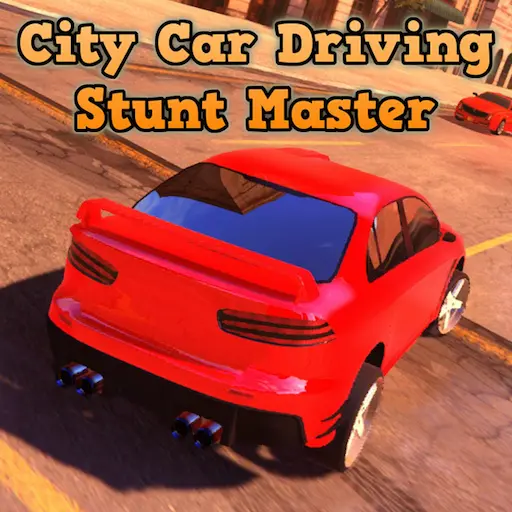
Explore a neon-lit city, perform daring stunts, escape police pursuits, and unlock faster cars in this free browser driving game.
Explore a neon-lit city, perform daring stunts, escape police pursuits, and unlock faster cars in this free browser driving game.
City Car Driving: Stunt Master is a free 3D driving game in which you explore an open city, perform stunts, drift around corners, and avoid the police. Use ramps and loops to earn points, then unlock faster cars as you improve your driving skills. The game runs directly in a desktop browser with no download required.
Enter a large, neon-lit city built for speed and spectacular driving. Unlike a conventional racing game, City Car Driving: Stunt Master does not restrict you to a fixed circuit. You can choose your own route, explore the streets, search for stunt locations, or simply enjoy driving around the open environment.
The city contains ramps, loops, wide roads, and areas designed for drifting. Every successful stunt or controlled slide increases your score. These points contribute to your progress and allow you to unlock new cars with better speed and performance.
Traffic and police vehicles make the streets more dangerous. Careless driving can damage your car or attract police attention, so you must decide when to take risks and when to escape.
City Car Driving: Stunt Master is available directly on the web. Wait for the game to load, select your vehicle, and start driving without installing a separate game client.
Your objective is to explore the city, perform successful stunts, collect points, and unlock better cars. Start by learning how your first vehicle accelerates, steers, and brakes. Once you feel comfortable, search the city for ramps and open corners. Use the handbrake to drift and activate nitrous on straight roads or before large jumps.
Start the game and select an available car. Drive into the city using WASD or the arrow keys.
Look for ramps, loops, and wide corners. Perform jumps and drifts to increase your score.
Land safely to protect your car and keep your points. Avoid traffic and escape pursuing police vehicles.
Use your progress to unlock faster cars, then continue exploring and attempt more difficult stunt combinations.
You are not required to perform stunts continuously. If you prefer a more relaxed experience, you can cruise through the city and explore its different streets.
City Car Driving: Stunt Master is designed for desktop browser play. A physical keyboard provides the precise inputs required for drifting, avoiding traffic, and landing difficult jumps.
Drive and steer
Handbrake
Left or right turn signal
Toggle headlights
Start or stop the engine
Activate nitrous boost
Change the camera view
Pause the game
A large open-world city built for speed and stunts.
Detailed 3D browser graphics with a neon-lit atmosphere.
Free-roaming stunt driving with no fixed circuit.
Ramps, loops, and large jumps across the map.
Drift-based scoring for controlled slides.
Police chases that turn a quiet drive into an escape.
Moving traffic that makes the streets more dangerous.
New cars with better speed and performance.
A nitrous speed boost for roads, ramps, and escapes.
Multiple camera views for exploring and landing jumps.
Vehicle headlights and turn signals for city driving.
Free online play with no installation required.
Points are earned by performing driving tricks such as jumps and drifts. Longer, cleaner stunts generally provide better results than small or uncontrolled movements.
Look for open areas where you have enough room to build speed and complete a stunt safely. A large jump may produce points, but crashing immediately after landing can damage your car and interrupt your momentum.
Drifting is another reliable way to increase your score. Use the handbrake to initiate a slide, then balance the car with steering and acceleration. The longer you maintain control, the more impressive the drift becomes.
Try to connect different actions during a single drive:
Successful stunt chains require planning, not just maximum speed.
Spend your first few minutes exploring the map. Identify long roads, wide corners, ramps, loops, and safe landing zones. Knowing the environment makes it easier to plan a complete stunt instead of improvising at the last second.
Approach large ramps with the vehicle pointing directly forward. Turning immediately before takeoff can cause the car to rotate in the air and produce a difficult landing.
Nitrous provides a powerful speed boost, but it can also make the car harder to control. Save it for straight roads, escape situations, or ramps that require additional momentum.
Holding the accelerator does not always improve a jump. Focus on the angle of your vehicle and prepare for the landing. A controlled jump is more valuable than a long jump followed by a crash.
Try to bring all four wheels toward the ground at a similar angle. Landing on the front, rear, or side of the vehicle can cause damage and make it harder to continue your stunt chain.
Tap the Spacebar to initiate a drift rather than holding it throughout the entire corner. Release the handbrake once the rear of the car starts sliding, then use steering to control the angle.
Traffic vehicles can interrupt a drift or block the approach to a ramp. Look ahead and choose a clear line before accelerating. Swerving at the last moment often creates a more serious crash.
Press C to cycle through the available camera views. One view may be better for exploring the city, while another can make precise driving or stunt landings easier.
Police attention can turn a quiet drive into a pursuit. Use open roads, sharp turns, and nitrous to create distance. Avoid narrow areas where traffic can trap your vehicle.
Faster vehicles are not always easier to control. Learn the acceleration, steering, and braking behavior of each car before attempting your most difficult stunts.
Drifting is one of the main ways to earn points in City Car Driving: Stunt Master. Approach a wide corner at moderate speed and begin steering into the turn. Briefly press the Spacebar to activate the handbrake. When the rear wheels start sliding, release the handbrake and adjust your steering to maintain the drift.
Release the accelerator slightly before the corner so you enter the turn with enough speed to slide, but not so much that you lose the car.
Steer toward the inside of the turn, then tap the Spacebar. Avoid holding the handbrake throughout the entire corner.
Release the handbrake when the car begins to slide. Excessive braking can make the car spin or remove all of its momentum.
Correct the direction with gentle steering inputs, then accelerate smoothly when leaving the corner.
Before attempting a jump, inspect the ramp and the area behind it. You need enough space to accelerate and a clear landing zone.
Line up the vehicle with the center of the ramp. Build speed gradually, then activate nitrous if the jump requires more momentum. Avoid steering sharply during the final approach.
Loops require both speed and a straight entry. If you enter too slowly, the car may fall before completing the loop. If you approach at an angle, the vehicle can leave the surface. Use a controlled burst of nitrous and maintain a straight line until you exit.
Performing stunts and drifts increases your points meter. Continued progress allows you to access new, better, and faster cars.
A newly unlocked car may offer more speed, but its handling can feel different. Test it on an open road before entering heavy traffic or attempting a large jump. Learning each vehicle will help you take advantage of its performance without losing control.
The open-world design gives you freedom to decide how each session unfolds. You can concentrate on stunt scoring, search for new areas, practice drifting, or cruise through the city at night.
Police pursuits introduce additional pressure. Once the police begin chasing you, the game changes from stunt practice to an escape challenge. Use your knowledge of the map to select open roads and avoid becoming trapped by traffic.
Nitrous can help create distance, but activating it before a tight turn may cause a crash. Combine speed with route planning to keep moving.
The browser version provides immediate access to the full driving experience. You do not need to download a large installer or set up a separate client.
It is a good choice for players looking for:
Because the game uses detailed 3D graphics, loading and performance depend on your browser, internet connection, and computer.