Up Arrow
Accelerate
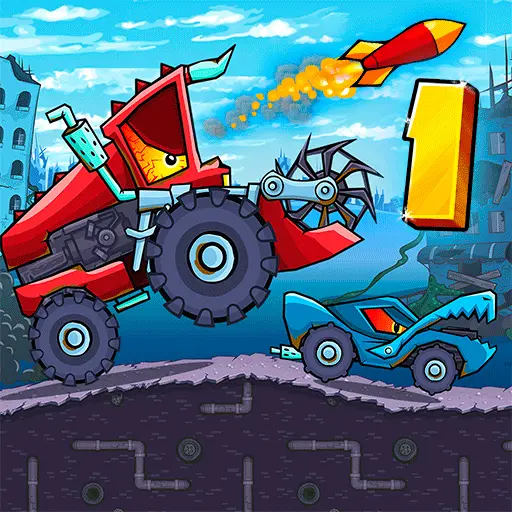
Escape hostile vehicles, collect stars, jump over obstacles, drop bombs, and use turbo to reach the finish line.
Play Car Eats Car online in your browser. Escape hostile vehicles, collect stars, jump over obstacles, drop bombs, and use turbo to reach the finish line.
Car Eats Car is a side-scrolling driving and survival game in which an ordinary-looking vehicle must escape from aggressive cars with enormous teeth. These hostile machines chase you across dangerous roads and attempt to catch or destroy your car.
Drive over hills, jump across gaps, avoid obstacles, and collect stars as you travel toward the finish. When enemies move too close, use bombs to attack them or activate turbo to create distance.
The combination of racing, platform-style movement, and vehicle combat makes Car Eats Car different from a conventional driving game. Reaching the end requires speed, careful balance, and intelligent use of limited power-ups. The original game was released as a Flash title and can now run on compatible browser-game websites through Flash emulation technology.
Play Car Eats Car online in a desktop browser and race a car chase game filled with 2D driving, car battle gameplay, turbo boosts, and browser racing action.
Escape hostile vehicles, collect stars, jump over obstacles, drop bombs, and use turbo to reach the finish line.
The original Flash game may load through browser-compatible emulation. Allow the player to finish loading before starting a chase.
Use the Arrow Keys to drive through each side-scrolling course. Accelerate across open terrain and adjust the car’s angle while jumping.
Hostile vehicles will begin chasing you during the journey. Stay ahead of them, use the environment to slow them down, and deploy a bomb if they move into a dangerous position.
Collect stars and useful items found along the route. Activate turbo when you need additional speed to escape an enemy, clear a jump, or recover after losing momentum.
Reach the finish area to complete the current stage.
These controls apply to the original browser version of Car Eats Car. Later games in the series use different layouts.
Accelerate
Brake or reverse
Tilt the car backward
Tilt the car forward
Jump
Drop a bomb
Activate turbo
Your primary objective is to survive the chase and reach the finish line. Completing the route is more important than destroying every enemy.
Stay ahead of hostile vehicles, maintain control on uneven terrain, and jump across obstacles and gaps.
Collect stars, gather bombs and turbo energy, attack pursuing cars, and preserve useful items for difficult sections.
Avoid crashes, land safely after jumps, and reach the end of the course.
The monster-like cars behind you are the main threat. If they close the distance, they can collide with your vehicle and make it difficult to continue.
Do not allow yourself to become trapped between an enemy and an obstacle. Maintain forward momentum and watch the area ahead so that you can prepare for hills and jumps.
Sometimes the terrain can help you escape. A pursuing vehicle may fail a jump, collide with an obstacle, or lose speed on a steep slope. Use turbo or bombs only when the chase becomes dangerous.
Car Eats Car uses side-scrolling physics. The Left and Right Arrow Keys change the angle of your vehicle, helping you control jumps and landings.
If the front rises too far, tilt the car forward. If you begin rotating toward the ground, tilt backward to avoid landing on the front of the vehicle.
Try to touch down on both wheels. A clean landing allows you to keep moving, while an awkward impact can eliminate your speed and give enemies time to catch up.
Unlike many hill-driving games, the original Car Eats Car includes a dedicated jump command. Press Spacebar to lift the vehicle into the air.
Jumping can help you clear small obstacles, cross dangerous gaps, avoid direct collisions, reach collectibles, escape an approaching enemy, and correct your position on uneven terrain.
Do not jump without examining the road ahead. An unnecessary leap may result in a poor landing or send the car directly into another obstacle.
Press Z to drop a bomb behind your vehicle. This is particularly effective because most enemies approach from the rear.
Wait until a hostile car moves close to the bomb’s path before deploying it. Dropping bombs too early or too frequently can leave you without protection during a more difficult chase.
Bombs are best used when several enemies are grouped together, a large vehicle is close behind, you are losing speed on a hill, an opponent is about to make contact, or you need time to recover after a crash. Continue driving after dropping a bomb rather than waiting to see the explosion.
Press X to activate turbo and temporarily increase the car’s speed. Turbo is useful for both escape and navigation.
Use it to pull away from enemy cars, build momentum before a steep climb, clear a long jump, recover speed after landing, cross a dangerous section quickly, and reach the finish before an enemy catches you.
Turbo is a limited resource. Save it for moments when normal acceleration is not sufficient.
Stars are placed throughout the levels and contribute to your performance. Some are positioned along the safest route, while others may require a jump or a more dangerous driving line.
The road can also contain bombs, turbo energy, or other helpful bonuses. Collect them when possible so that you have more options during enemy encounters.
Survival should remain your priority. Missing one star is better than crashing or allowing an enemy to catch the car.
Watch the upcoming terrain instead of focusing entirely on the pursuing vehicles. Early preparation prevents sudden crashes.
Normal acceleration is enough for many sections. Keep turbo available for steep hills, large gaps, and dangerous chases.
Allow enemies to approach before attacking. This improves the chance that they will enter the explosion area.
Use the tilt controls while airborne and aim to land on both wheels.
A short burst of turbo before jumping can help you cross a large obstacle. Make sure the landing area is clear first.
Recover immediately after hitting an obstacle. Remaining stationary gives enemy vehicles time to surround you.
Remember where enemies appear and where difficult jumps begin. This knowledge makes the next run much easier.
Using every power-up as soon as it becomes available is one of the biggest mistakes. Bombs and turbo are more valuable when saved for dangerous situations. Manage your resources and concentrate on reaching the finish.
Avoid watching enemies instead of the road, jumping too late, holding turbo through an easy section, and dropping bombs when no enemy is nearby.
Avoid ignoring the car’s angle in the air, landing on the front or roof, stopping at the bottom of a hill, taking excessive risks for a star, trying to destroy every enemy, and confusing the controls with those of later sequels.
Car Eats Car is a turbo car game and browser racing game with classic side-scrolling chases, bombs, and Flash-era vehicle combat.
The first Car Eats Car has a simpler structure than many of its sequels. It focuses on escaping enemy vehicles, collecting stars, and reaching the finish.
Later entries expanded the series with larger garages, more detailed upgrade systems, additional weapons, named vehicles, bosses, rescue missions, and new environments.
Controls can also differ. In the original game, Spacebar is used to jump, Z is used to drop a bomb, and X activates turbo. Do not assume that controls from Car Eats Car 2 or the newer Adventure games apply to this version.
Car Eats Car combines simple keyboard controls with an unusual chase concept. The cars are not merely racing—they behave like predators and prey on a dangerous obstacle course.
Each level creates a constant balance between watching the road and monitoring the enemies behind you. Bombs, jumping, and turbo provide several ways to respond when the chase becomes intense.
The original game also offers a useful starting point for players who want to understand how the larger Car Eats Car series began.
Continue with later entries in the Car Eats Car series if you want more vehicles, upgrades, weapons, and environments. You can also play more games like Car Eats Car:
Escape the hungry machines, save your strongest power-ups, and survive every dangerous road in the original Car Eats Car.